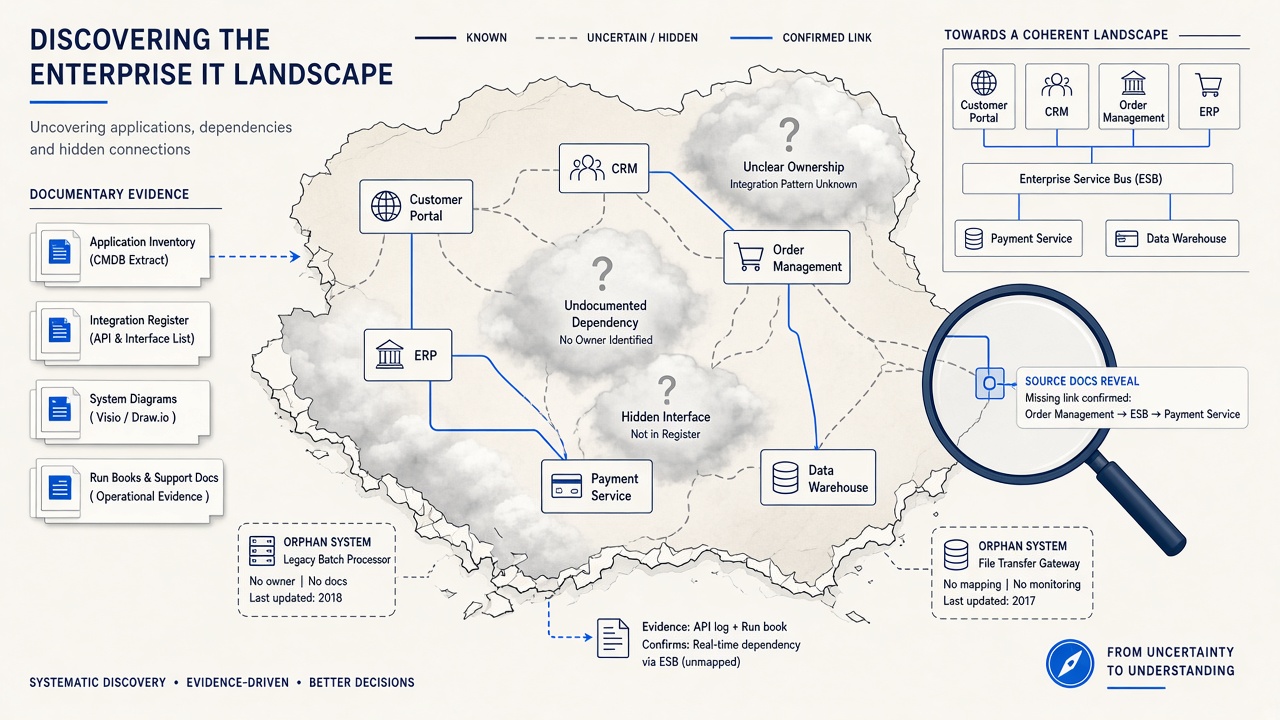
Why landscape discovery becomes so expensive
Discovery often starts with a reasonable request: “Before we migrate, integrate or retire anything, show us the current landscape.” Weeks later, the team is still scheduling interviews, reconciling spreadsheets and reading documents that contradict one another.
That repeated reconstruction is the Discovery Tax. The problem is not a lack of information. It is that information is split between structured inventories, unstructured documents and tribal knowledge.
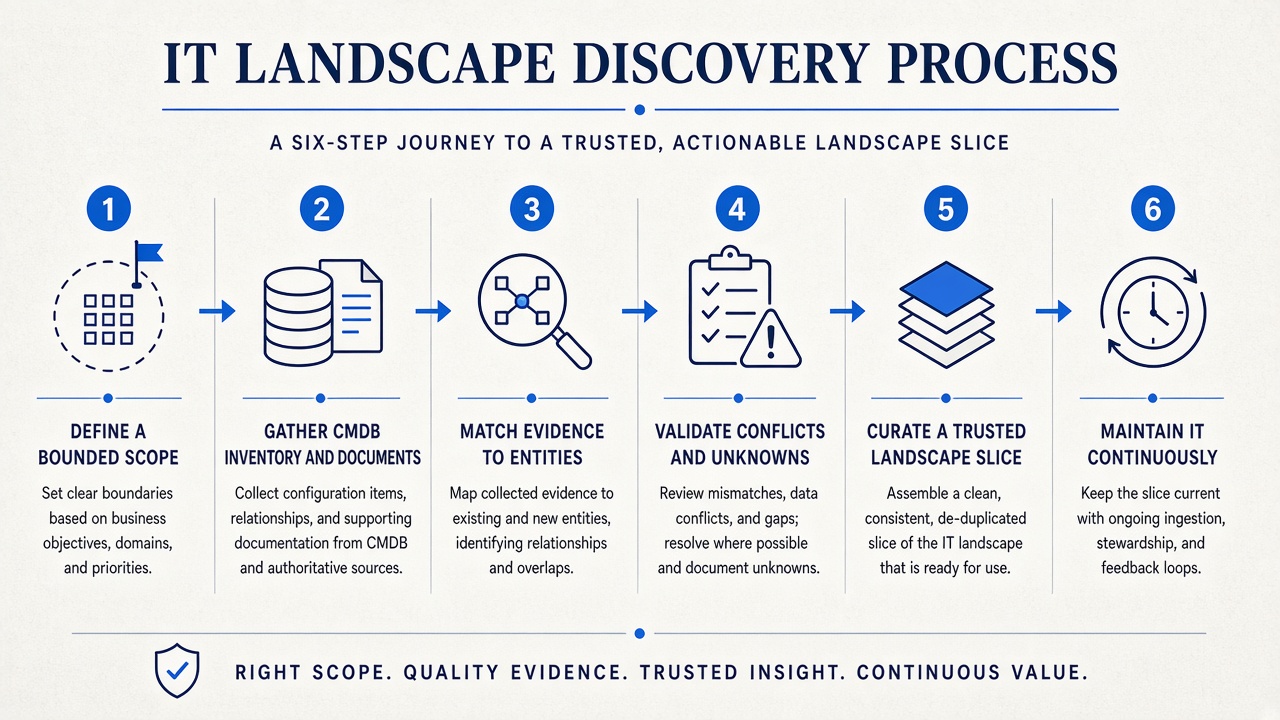
Step 1: Define a bounded scope
Do not begin with “map the enterprise.” Choose a domain, capability, platform, geography or transformation boundary. Define the decisions the landscape must support: migration waves, application retirement, integration planning, risk assessment or M&A separation.
A bounded scope makes evidence collection, expert review and success measurable.
Step 2: Gather both structured and unstructured evidence
Structured starting points
- CMDB or configuration-item extracts
- Application and technology inventories
- Existing EA factsheets
- Integration and interface registers
- Cloud, hosting and vendor catalogues
Unstructured context
- HLDs, ADRs and solution designs
- Runbooks and operational procedures
- Migration and programme documents
- Meeting transcripts and workshop outputs
- Architecture diagrams and interface specifications
- SME narratives about exceptions and history
Step 3: Match evidence to entities
Resolve the same system across inventory names, document titles, acronyms, project names and vendor labels. Match documents to existing entities first. Create a new entity only when evidence shows something genuinely absent from the inventory.
The objective is enrichment, not uncontrolled entity generation. This is the approach detailed in enriching EA factsheets with unstructured documents.
Step 4: Validate conflicts and make unknowns explicit
Discovery creates value when it exposes uncertainty honestly. Flag:
- Systems present in documents but absent from the inventory
- CMDB relationships unsupported by design or operational evidence
- Duplicate entities under different names
- Retired systems still described as active
- Dependencies with no owner or evidence
- Applications with no clear business purpose or capability link
An explicit unknown is safer than a confident but invented answer.
Step 5: Curate a trusted landscape slice
Architects and system owners review the proposed entities, relationships and context. They decide what is accepted, what needs more evidence and what should be rejected. The output should include provenance, so future users can see why the map makes a claim.
Step 6: Maintain it continuously
A discovery exercise that ends with a slide deck will decay. Feed new designs, decisions, transcripts and inventory changes back into the same model. That is the difference between one-off discovery and automated IT landscape modelling.
Once living, the map can support Enterprise Ask, migration analysis, rationalisation and artefact generation rather than being recreated for every programme.
What should discovery produce?
- A canonical application and technology landscape
- Capabilities and business context for important entities
- Integration and dependency relationships
- How-and-Why evidence attached to entities
- Known conflicts, orphans and evidence gaps
- Owners and accountable curators
- Decision-ready views, not only raw inventory data
- A maintenance process for future evidence
How does DecisionPen solve this?
DecisionPen supports both discovery starting points. Import an existing catalogue from a spreadsheet to establish the structured skeleton, or begin from documents and dialogue where no trustworthy inventory exists. The platform proposes metamodel-aware entities and relationships, retains evidence and supports human curation.
DecisionPen can start from a CMDB or inventory spreadsheet extract. The value is not pretending the CMDB is unnecessary — it is combining its structured identity with the institutional memory it lacks.
Explore IT landscape discovery with DecisionPen or start with one bounded domain.
When is DecisionPen not the right tool?
DecisionPen is not a network scanner, operational CMDB or freeform diagramming product. It does not replace the systems that discover live infrastructure. It turns structured inventory and unstructured architecture evidence into a curated model for decisions.