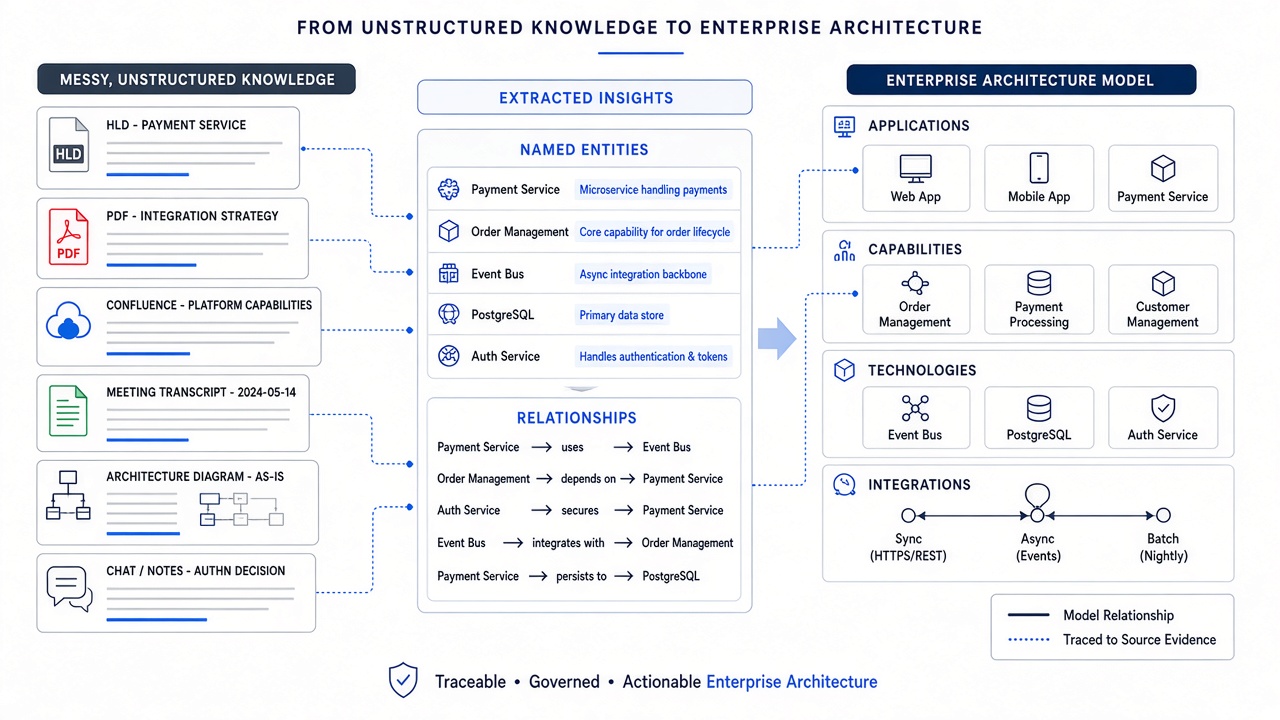
Why summarisation is not modelling
Ask a general AI assistant to summarise an HLD and it may produce a fluent overview. That is useful, but an architecture model must answer more demanding questions: Is “Payments Hub” the same entity as “PYMTHUB”? Is an integration synchronous or batch? Does this capability depend on that application? Which source supports the claim, and has an architect accepted it?
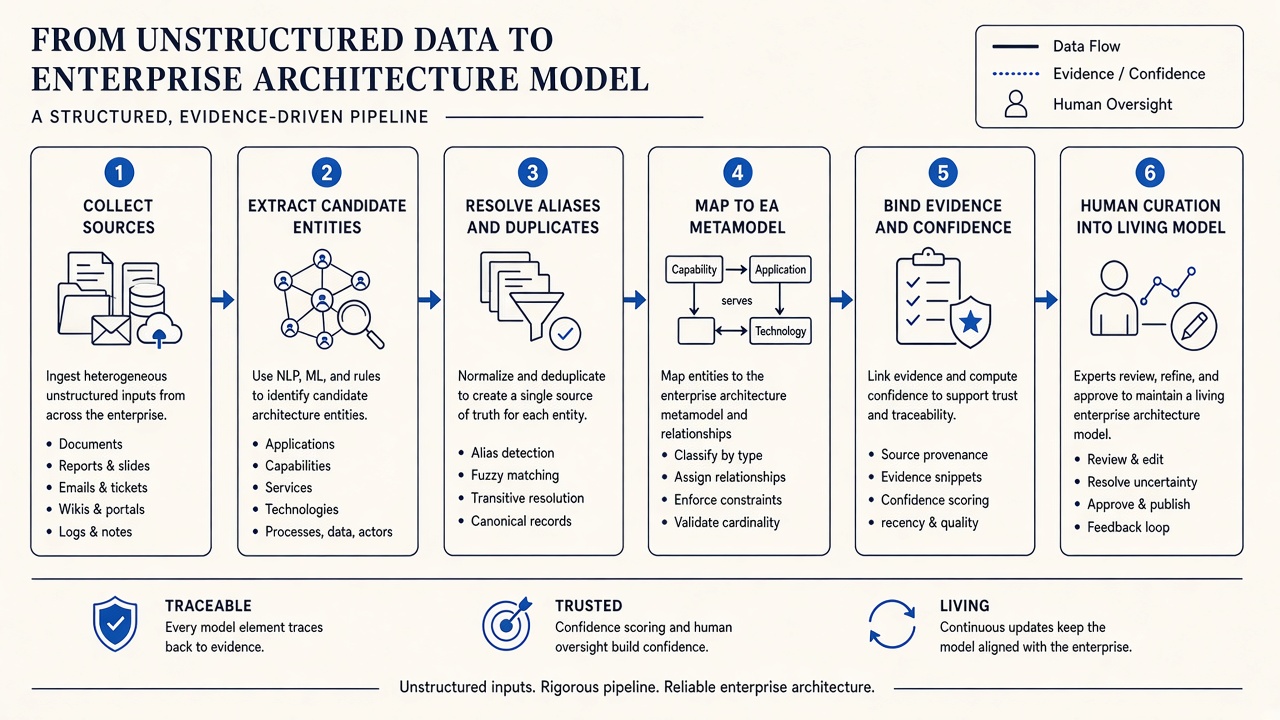
Modelling requires identity, types, relationships, provenance and governance. The six-step pipeline below makes those requirements explicit.
Step 1: Collect relevant, bounded sources
Start with a domain, capability or system of interest rather than the entire document estate. Useful sources include HLDs, ADRs, PDFs, wiki pages, interface documents, runbooks, diagrams, migration plans and meeting transcripts.
Boundaries matter. A smaller, relevant corpus produces better entity resolution and gives curators a realistic review queue.
Step 2: Extract candidate entities and relationships
The system identifies candidate applications, capabilities, business processes, technologies, data stores, actors and integrations. It also looks for verbs and design statements that imply relationships: uses, depends on, publishes to, is hosted on, replaces and supports.
At this stage, the output is a proposal — not truth.
Step 3: Resolve aliases, duplicates and conflicts
Enterprises rarely name things consistently. One document says “Customer Payments Hub,” another says “Payments Orchestrator,” and a CMDB may contain “PYMTHUB.” Acronyms, project names, vendor products and renamed platforms must be reconciled.
- Match likely aliases and present them for confirmation.
- Merge duplicate candidates without erasing source history.
- Keep conflicting statements visible instead of averaging them.
- Record uncertainty where the evidence is weak or dated.
Step 4: Map candidates to the EA metamodel
A list of extracted nouns is not a model. Each accepted candidate needs a valid architectural type and relationships that make sense: a capability is realised by processes or applications; an application uses technology; an interface connects producers and consumers.
DecisionPen uses this metamodel-aware step so the result can support landscape views, impact analysis and future governance — including LeanIX-aligned modelling where an organisation uses that structure.
Step 5: Bind evidence and confidence
Every important model element should answer, “Why do we believe this?” Preserve the supporting document, transcript passage, diagram or expert statement. Distinguish:
- Observed: present in an authoritative inventory or operational source.
- Documented: explicitly described in design or decision material.
- Inferred: proposed from patterns or indirect evidence.
- Curated: reviewed and accepted by an accountable human.
That separation prevents a plausible inference from masquerading as a verified operational fact.
Step 6: Curate into a living model
Architects and subject-matter experts accept, edit, reject or defer proposals. Accepted elements become available for landscape views, impact questions and artefact generation. Rejected proposals are also valuable because they stop the same weak inference returning unquestioned.
Where structured inventories fit
If you already have a CMDB or application catalogue, use it to improve identity resolution. Import the structured entities first, match documents to them, and create new entities only where the evidence exposes something missing. That is the workflow in enriching EA factsheets with unstructured documents.
How does DecisionPen solve this?
DecisionPen implements the pipeline as incremental modelling. It ingests documents, transcripts and natural-language descriptions; proposes metamodel-aware entities and relationships; binds supporting evidence; and supports human curation before information joins the living map.
The result is more than a generated picture. It is an Architecture Decision Workspace that can be interrogated through Enterprise Ask and used to generate documents and diagram images from curated context.
Try DecisionPen with one design document and one transcript, then judge the proposal and evidence quality for yourself.
When is DecisionPen not the right tool?
If you only need a document summary, use a general Copilot. If you need freeform BPMN or diagram drawing, use a drawing tool. DecisionPen is for teams that need the extracted knowledge to become a governed, reusable architecture model.