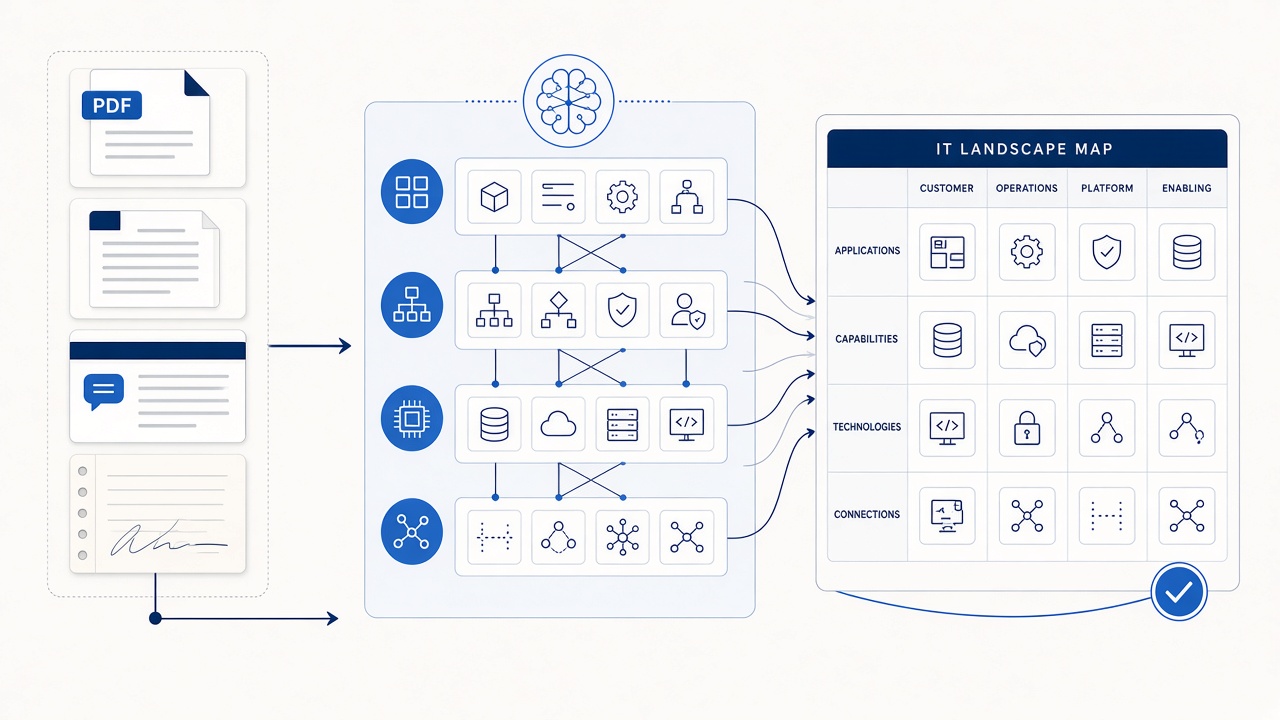
Why are teams looking for automated IT landscape modelling?
Most enterprises already possess the raw material of an architecture model. It is distributed across HLDs, PDFs, Confluence pages, interface documents, runbooks, workshop notes and the memories of experienced architects. The expensive task is converting that institutional knowledge into a consistent model without months of workshops and factsheet entry.
That is why people ask questions such as “Which innovative enterprise modelling tool can work from unstructured data?”, “Can we build an IT landscape from the documents we already have?” and “How do we populate an EA repository without retyping everything?”
What counts as unstructured data in enterprise architecture?
Useful architecture evidence often includes:
- High-level and detailed design documents
- Architecture decision records and design-review notes
- PDFs, wiki pages and SharePoint documents
- Interface specifications and integration catalogues
- Meeting transcripts, workshops and SME interviews
- Runbooks, migration plans and operational procedures
- Architecture diagrams and other visual artefacts
- Natural-language descriptions provided directly by experts
The sources are messy, inconsistent and sometimes contradictory. That does not make them unusable — but it means extraction must be followed by resolution, evidence management and curation.
How automated IT landscape modelling works
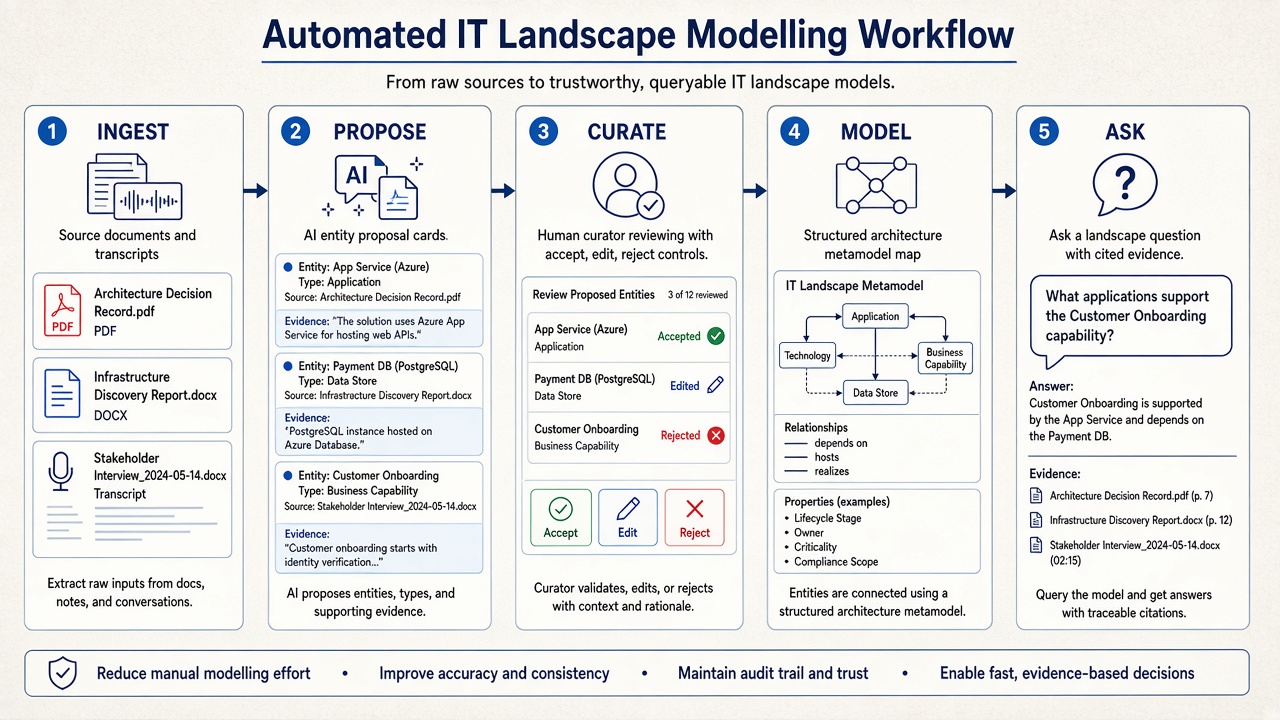
1. Ingest the evidence
Bring in the documents and conversations that already describe the estate. The aim is not to collect every file in the organisation; it is to build a relevant evidence base for a bounded domain.
2. Propose entities and relationships
AI interprets the material against an enterprise architecture metamodel. It proposes applications, capabilities, technologies, data stores, integrations and dependencies instead of returning only a prose summary.
3. Resolve and curate
Architects review aliases, duplicates, uncertain classifications and inferred relationships. They can accept, edit, reject or defer a proposal. This human-in-the-loop stage is what converts an AI draft into enterprise memory.
4. Bind the evidence
Every important entity or relationship should remain traceable to the document, transcript or discussion that supports it. Without evidence, the model quickly becomes another set of thin factsheets.
5. Ask and act on the living model
Once curated, the landscape can support blast-radius analysis, ownership questions, rationalisation, migration planning and generated architecture artefacts. It should improve each time new evidence is curated into it.
Automated modelling is not document RAG
A generic Copilot or RAG system can retrieve passages that look relevant to a question. It does not normally maintain a governed model of which applications exist, how they relate, what was rejected, or which claims were reviewed by an architect. That distinction is explored in why Copilot or plain RAG cannot reliably answer enterprise architecture questions.
You do not have to start from documents alone
Document-first modelling is powerful, but it is not the only credible starting point. If you already trust parts of a CMDB or application inventory, import that structured skeleton first and then enrich the resulting factsheets with How and Why from unstructured sources. The two approaches are complementary:
- Document-first: discover entities and relationships from institutional memory.
- CMDB-seeded: establish identity from an existing catalogue, then enrich it with design and operational context.
- Hybrid: use the inventory for known entities and documents to expose missing systems, relationships and rationale.
The CMDB-seeded path is covered in detail in how to enrich EA factsheets with unstructured documents.
What should you look for in a tool?
- A real EA metamodel, not only document summarisation
- Entity and relationship proposals from multiple source types
- Alias, duplicate and conflict handling
- Evidence and provenance attached to model elements
- Human curation before changes become canonical
- Support for both document-first and inventory-seeded starts
- Incremental updates rather than one-off baseline generation
- Map-grounded questions with citations
- Architecture documents and diagrams generated from the model
How does DecisionPen solve this?
DecisionPen is an Architecture Decision Workspace built around this workflow. You can begin with documents, transcripts and natural-language descriptions, or import a structured catalogue from a spreadsheet and enrich it. Its incremental modelling agent proposes metamodel-aware entities and relationships, keeps the supporting evidence visible and lets experts curate the result.
The accepted model then supports Enterprise Ask, so leaders can ask ownership, dependency, rationale and blast-radius questions with evidence — not start another round of interviews. Architecture artefacts and diagram images can also be generated as views of the curated context.
Explore the IT landscape mapping use case or start a free trial with a bounded system of interest.
When is DecisionPen not the right tool?
DecisionPen is not a freeform Visio, Lucidchart or BPMN drawing canvas, and it is not a replacement operational CMDB. Its role is to create and use a curated Architecture Decision Workspace — including a CMDB-derived spreadsheet as a starting skeleton where appropriate.